FloatText
NEW Voice-follow scrolling is here

The teleprompter
that floats with you.

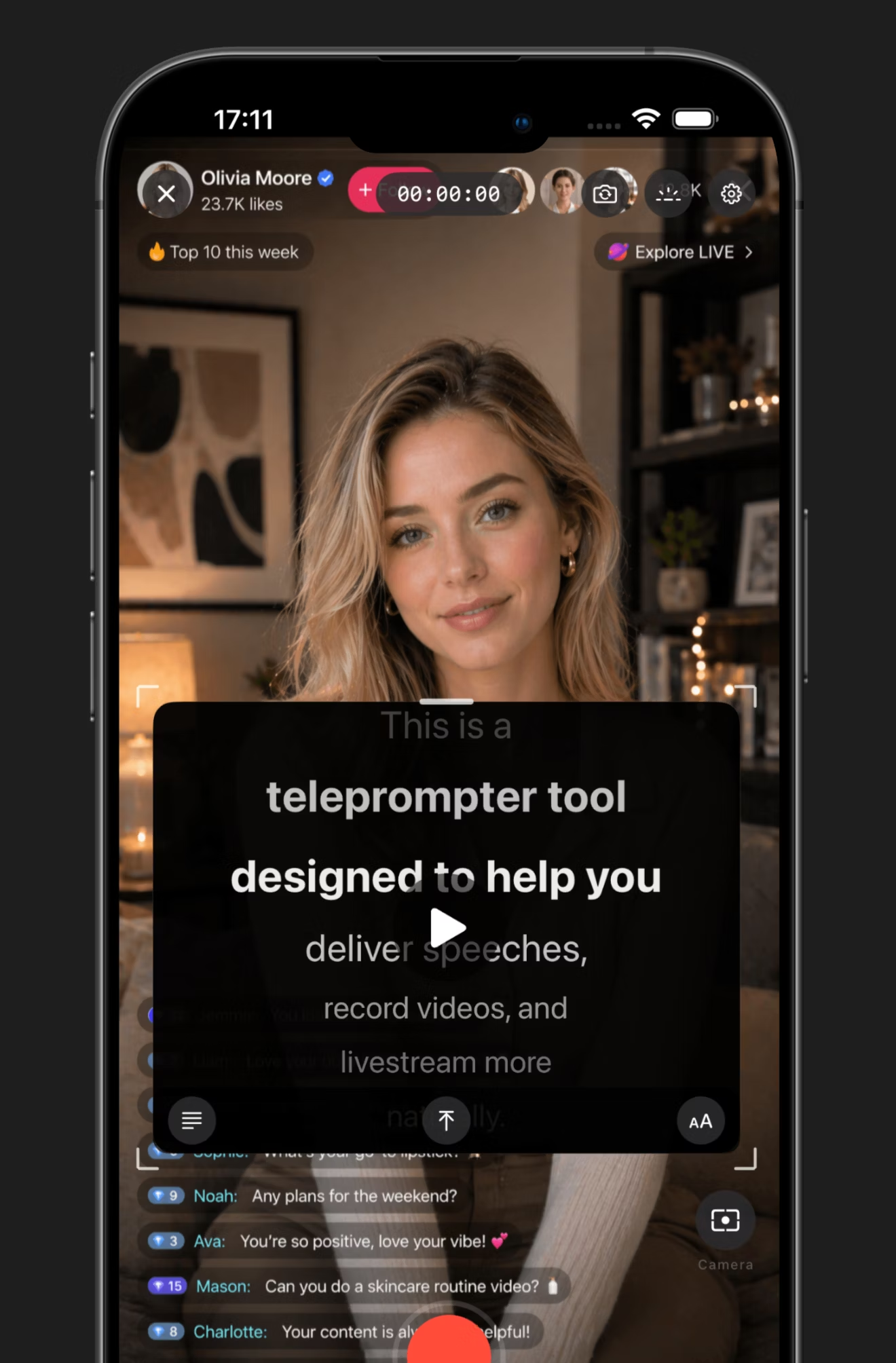
Pin your script as a floating window over any camera app. Voice-follow scrolling matches your pace. Record in 4K, portrait or landscape, without a single retake.
★★★★★ 4.8 · 12k+ ratings · App Store editors' pick
FloatText floating over a live recording app
Voice-follow · ON
REC · 4K
⤢ DRAG · RESIZE · PIN
// Floats over YouTube TikTok Twitch Instagram OBS Zoom Camera
// Features

Built like the tool a creator actually wants.

01 Floating window

Float over any app.

A true picture-in-picture overlay. Pin it over the camera, OBS, Zoom, or your desktop — your script stays right where you need it.

  • Drag, resize, and reposition mid-take
  • Adjustable opacity so the camera stays clear
  • Stays on top of any other recording or live app
Float over any app
02 Voice-follow

Scroll with your voice.

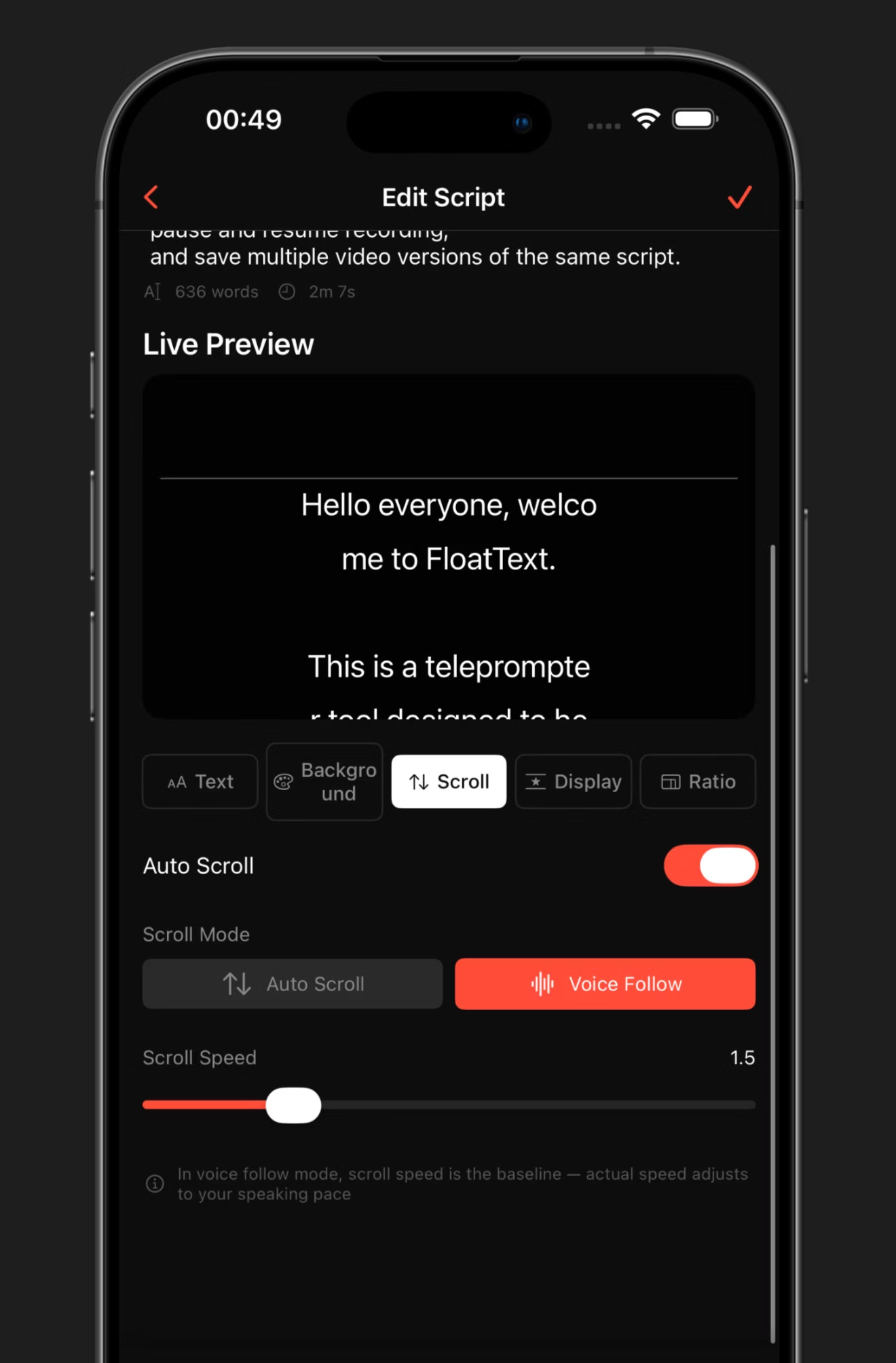
On-device speech recognition matches the line you're reading and scrolls in step with you. No fiddling with sliders mid-take. Works in noisy rooms.

  • Auto scroll at a fixed speed, or follow your speaking rhythm
  • Adjust baseline speed — the tracking adapts to your pace
  • Privacy-first: speech processing happens on-device
Scroll with your voice
03 Customize

Make it yours.

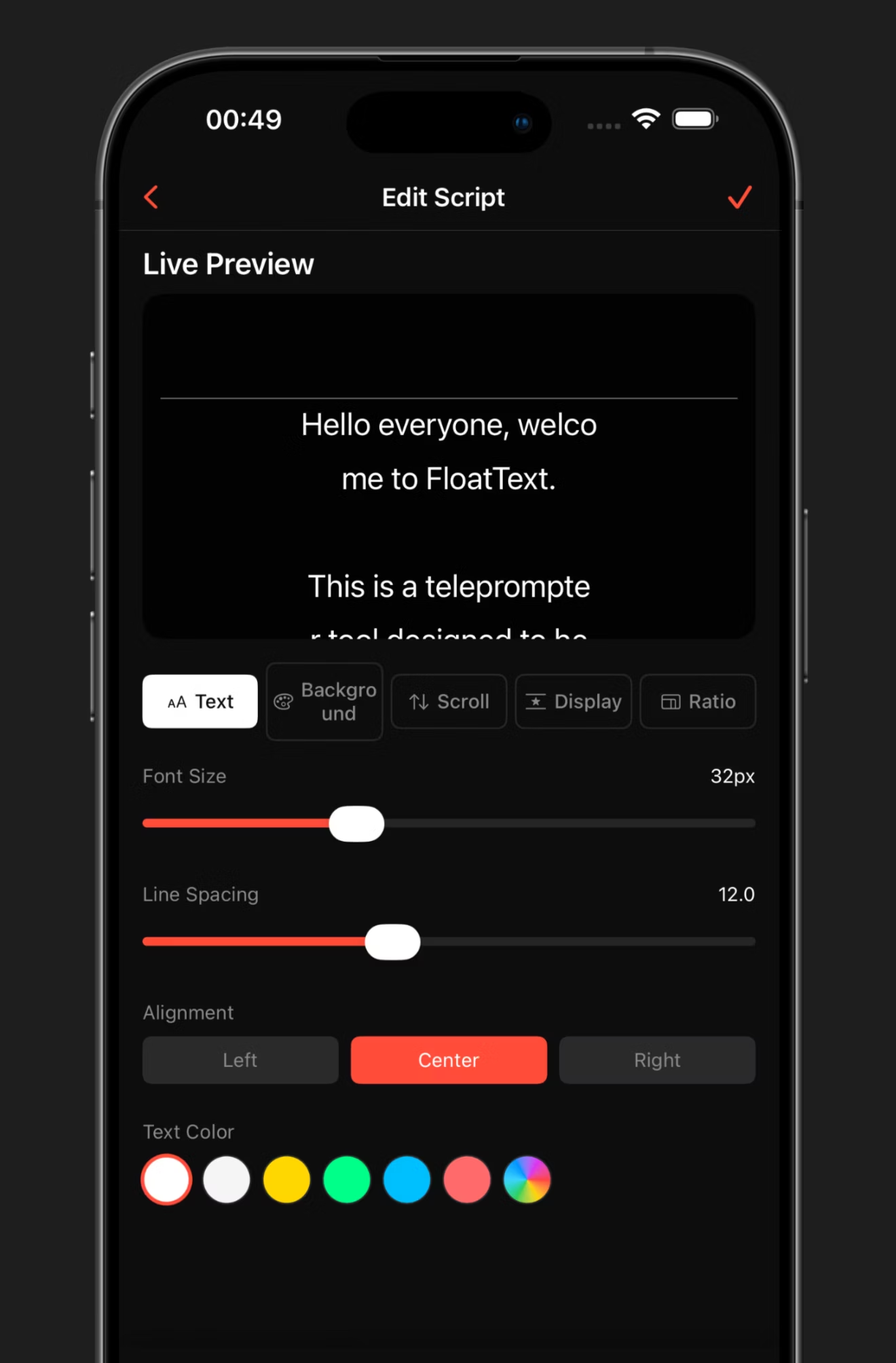
Font size, line spacing, alignment, color, background transparency, window size — everything tunable in real time. Live preview shows your changes instantly.

  • Seven text colors and full alignment control
  • Adjustable scroll speed from 0.1× to 5×
  • Background transparency for over-camera readability
Make it yours
04 Solo recording

Create better videos solo.

Built-in fullscreen prompt with mirror mode, fill light, and portrait or landscape orientation. Record, pause, resume — save multiple versions of the same script.

  • Segmented shooting — pause and resume without losing your place
  • Save multiple takes per script
  • Portrait or landscape, the prompter reflows automatically
Create better videos solo
05 Read & record

One tap to record.

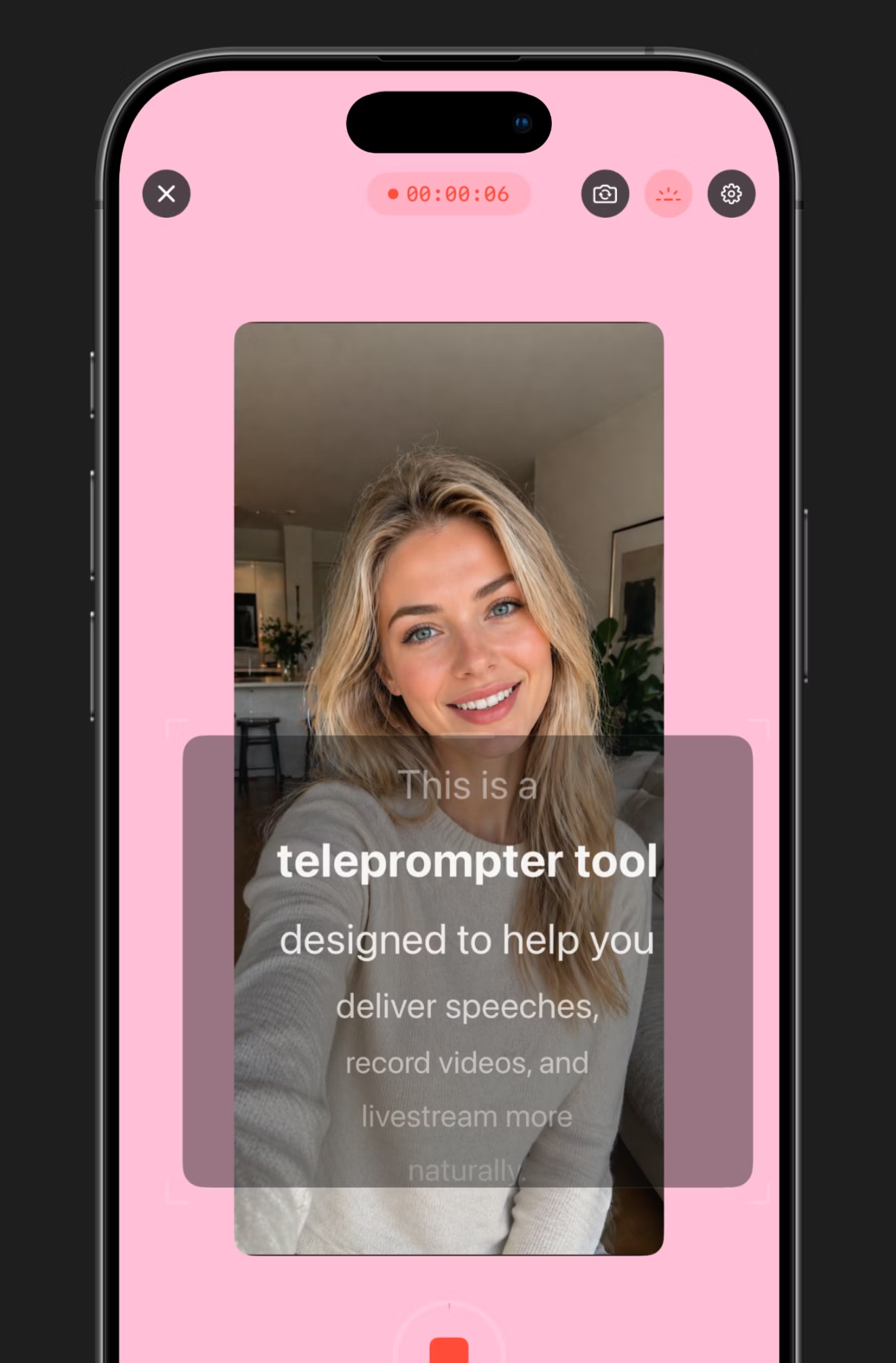
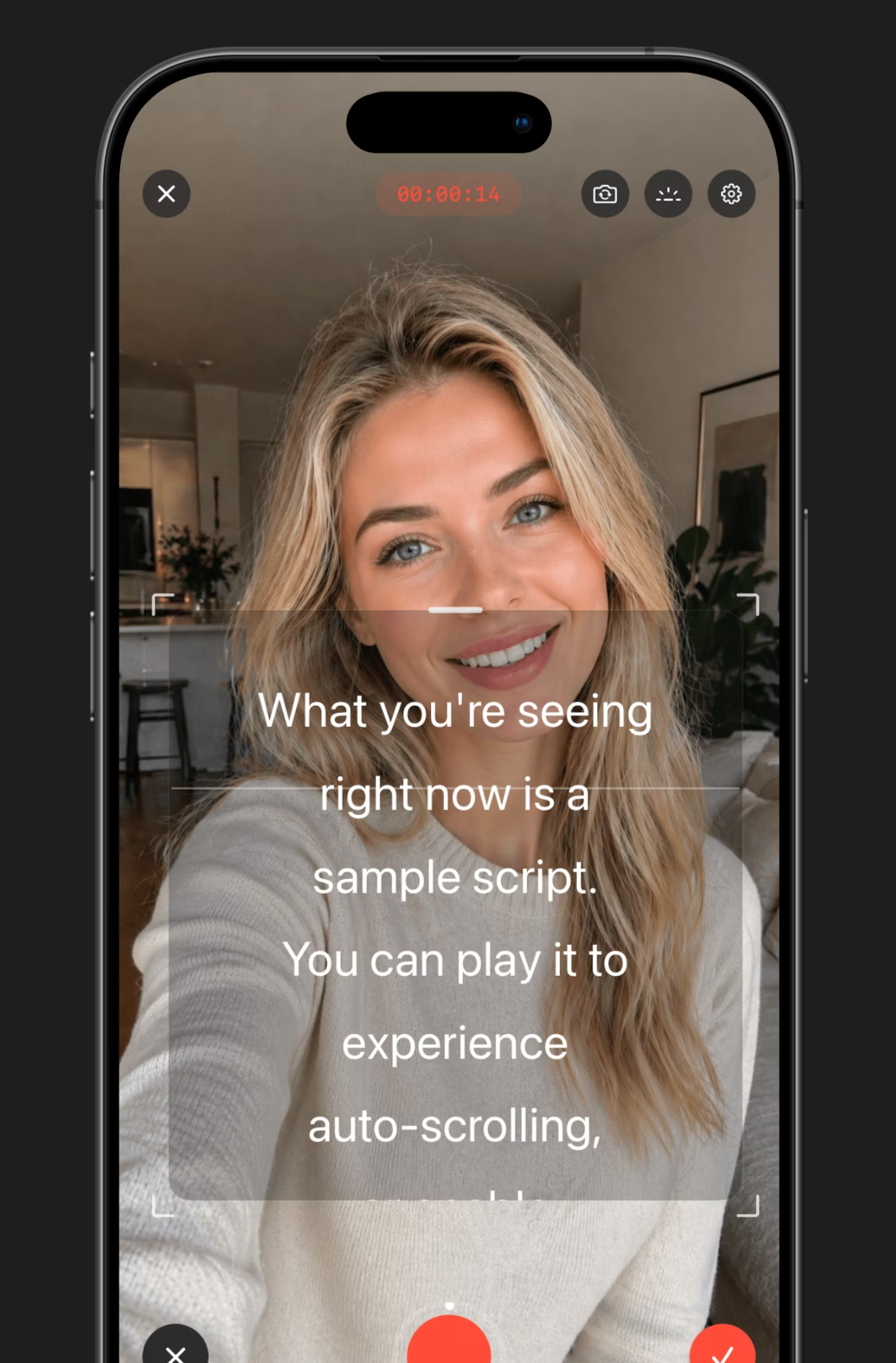
The recording mode puts the prompter directly over the camera feed — read and record at the same time, with a clean export when you're done.

  • 4K · 60fps export
  • Front or rear camera, swap mid-take
  • Adjustable framing brackets help you stay centered
One tap to record
// How it works

Three steps. Zero friction.

From script to ship in under a minute.
STEP 01
01

Drop in your script

Type, paste, or import. Tweak font, color, background, margins, and speed. Pick fullscreen or floating mode.

~ paste · type · import .txt
✓ 142 words · ~58 sec
STEP 02
02

Place the float

Float it over the camera app, OBS, or any recording tool. Drag anywhere on screen — it stays where you put it.

~ drag · resize · pin
✓ pinned to camera app
STEP 03
03

Roll camera

Speak naturally — voice-follow scrolling keeps pace. Pause, resume, save multiple takes. Export when you're done.

~ voice-follow · 4K · armed
● recording 00:01:24
// Built for

Whoever talks to a camera.

Talking-head creators

Vlogs, shorts, demos. Read naturally without the camera-eye-flicker.

0
Retakes needed

Live streamers

Notes that stay invisible to your audience but visible to you, over OBS or Twitch.

24
fps overlay

Educators & trainers

Long-form lectures and training videos with structure that holds across takes.

60
min sessions

Float your script.
Find your flow.

Free to download. Core features included. iPhone & iPad, ready when you are.

$ floattext --new-recording
script loaded · 142 words
voice-follow · armed
4K · 60fps · ready
recording _
Yes — record in either orientation. The prompter rotates and reflows automatically when you turn the device.
On-device speech recognition matches the line you're reading and scrolls in step with you. You set a baseline speed; the tracking adjusts to your pace. No fiddling with sliders mid-take.
Yes. The floating prompter window sits over the camera app, OBS, Zoom, livestream tools, or anywhere else you record. Drag, resize, and pin it where you need.
FloatText is free to download with core features available. Premium unlocks 4K export, unlimited script storage, and advanced customization.
Scripts are stored in a searchable library with word counts and estimated read times. You can save multiple takes per script and export each separately.
See the links in the footer. Speech recognition runs entirely on-device — your audio never leaves your phone.